
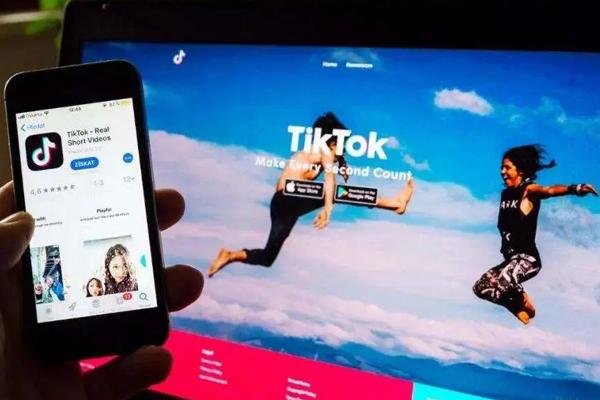
As one of the most popular short video platforms in the world, the international version of Tuke has attracted countless users to share creative, entertaining, and life moments. However, due to regional restrictions, domestic users cannot directly download and use the international version of Tuke. This article will introduce in detail 3 methods to download the international version of Tuke, helping you easily unlock the exciting content of global short videos!
Method 1: Download through the official app store (region switch required)
Steps:
1. Switch Apple ID or Google Play region:
- Apple users: Register an overseas Apple ID (such as US or Japan) and log in to the App Store.
- Android users: Switch to an overseas region in Google Play (requires binding a local payment method).
2. Search and download Tuke: Search for "Tuke" in the app store, click to download and install.
3. Use Tuke dedicated network connection: Due to network restrictions, after downloading, you need to use a Tuke dedicated network to connect to overseas servers to use it normally.
Advantages:
- Safe and reliable: Download from official channels to avoid the risk of malware.
- Automatic updates: The app store will automatically push the latest version.
Disadvantages:
- Complicated operation: Switching regions requires some technical knowledge.
- Network restrictions: Long-term use of overseas Tuke dedicated network may affect connection speed.

Method 2: Download APK file through third-party app market (Android users)
Steps:
1. Choose a trusted third-party platform: such as [APKMirror](https://apkmirror.com) or [APKPure](https://apkpure.com).
2. Search for Tuke international version: Enter "Tuke" in the platform search bar and select the latest version to download.
3. Install the APK file:
- Open phone settings and allow installation from "unknown sources".
- Find the downloaded APK file and click to install.
4. Use overseas network dedicated connection: After installation, connect to overseas servers through the overseas Tuke dedicated network to use.
Advantages:
- No need to switch regions: Suitable for users who cannot switch Google Play regions.
- Flexible version selection: You can download historical versions or specific regional versions.
Disadvantages:
- Security risks: Make sure the APK file source is reliable to avoid malware.
- No automatic updates: You need to manually download new versions.

Method 3: Download from Tuke official website (web version)
Steps:
1. Visit the Tuke official website: Enter `https://www.tiktok.com` in your browser.
2. Download the mobile app:
- Android users: Click "Download on Google Play" or "Download APK".
- Apple users: Click "Download on the App Store".
3. Install and use:
- Android users directly install the APK file, Apple users need to switch to an overseas Apple ID to download.
- Use the Tuke dedicated network to connect to overseas servers.
Advantages:
- Official channel: Ensures app security and integrity.
- Suitable for multi-device users: The web version supports downloads on various devices.
Disadvantages:
- Network restrictions: Must be used with the Tuke dedicated network.
- More steps: Suitable for users with some technical background.

Notes: Safety and Compliance
1. Ensure download source is safe
- Give priority to official channels or well-known third-party platforms.
- Use security software to scan APK files before installation.
2. Use network to protect privacy
- Choose a reputable Tuke dedicated network service provider (such as Tuker Overseas Network Service Provider).
3. Comply with local laws and regulations
- Understand and comply with the network policies of your region.
- Avoid obtaining the app through illegal means.
Now that you have mastered the skills to download the international version of Tuke, take action and explore the unlimited fun of global short videos! If you find this article helpful, please share it with more friends in need!
What this signal means for growth teams
This market signal should be treated as an operating prompt, not a standalone trend. The brand question is whether the team can connect TikTok content, creators, paid media, commerce readiness, and reporting into one measurable growth cycle.
Commercial read
- Market signal: TikTok Marketing Information and Solutions
- Published: February 25, 2025
- Commercial lens: TikTok Ads, creators, TikTok Shop, live commerce, and reporting.
- Source transparency: the original source linked in this article
What brands should do next
- Identify the market, audience, product group, and KPI this signal could affect.
- Turn the insight into a small TikTok creative, creator, Shop, or paid media test before scaling spend.
- Add FAQ, offer clarity, product proof, and contact paths so traffic can convert instead of only reading.
- Review weekly performance across reach, click quality, Shop actions, creator output, and revenue impact.
Tuke Marketing helps brands connect TikTok Ads, creator partnerships, TikTok Shop operations, live commerce, and reporting into one accountable operating system.
What should brands do with this TikTok signal?
Brands should translate the signal into a focused operating test across creative, creators, TikTok Shop readiness, paid media, and reporting before increasing budget.
How does Tuke Marketing evaluate this kind of news?
Tuke Marketing reviews platform news through market timing, category demand, creator supply, commerce readiness, and measurable growth actions.
When should a team contact Tuke about this topic?
A team should contact Tuke when it needs to turn a TikTok market signal into a practical launch, creator, advertising, live commerce, or reporting plan.
Source transparency: Tuke cites the original source linked in this article and adds its own operating analysis for brands evaluating TikTok growth decisions.